
Do You Really Need an App? When the Mobile Website Is the Better Choice
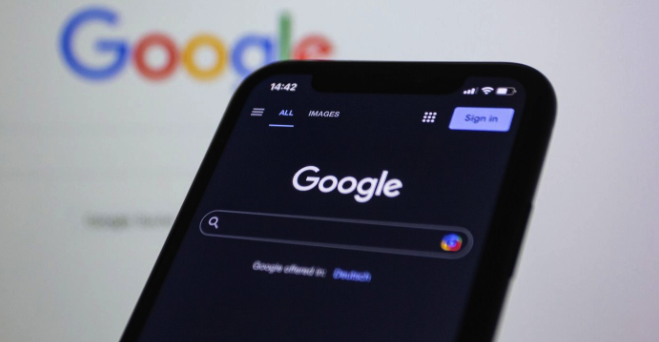
A download request can interrupt a task that was already going perfectly well in your browser. Before accepting it, check what the app will let you do that the website cannot, and whether that extra capability deserves space on your phone.
The parking session ended six months ago. Its app is still on your phone, somewhere between a restaurant loyalty scheme and a ticketing service used for one concert.
Each installation had a reason at the time. Opening those apps again might require remembering a password before discovering whether there is still a reason to keep them.
Before accepting the next download prompt, look beyond whether the app is free. A service visited once may not need a permanent place on your phone. Even on regular visits, browsing its content or managing an account may already work through the website. A download earns more consideration when it offers something missing from that visit.
Before Downloading, Follow the Website Further
Mobile websites can do more than introduce a business and direct you to its app. A searchable library lets you explore the available content within the browser. The practical test is whether you can find what interests you without working through page after page.
A game lobby brings that search into focus. Rows of colorful thumbnails show what is available, but locating games from a particular studio calls for a more targeted route. A provider selection area gives you a way to narrow the library by studio, as seen on the Australian website of Casiny casino. Its slots and live casino sections separate different types of play, while Most Popular and New Arrivals provide other starting points. These browsing functions are available through the website without a required app download.
Finding a game is only the beginning of a visit, though. Its rules should be readable on your phone, and account controls should be easy to locate after signing in. A large thumbnail offers little help if the information needed before playing requires awkward zooming.
When a service offers both a website and an app, compare those same actions in each. Does installation make the information easier to read or remove steps from accessing your account? Those improvements provide a reason to download. The presence of a download button does not.
The Download That Outlives the Job
Reluctance to install another app does not necessarily mean disliking apps. Sometimes the irritation comes from being asked to acquire permanent software for a temporary need.
Clutch’s April 2026 report surveyed 476 adult smartphone owners. Among respondents, 80% recalled downloading an app because they were required to, rather than because they wanted it. The survey also found that 72% reported at least mild annoyance about that experience.
“The biggest improvements in engagement typically come from reducing friction and accelerating value delivery, not adding more features,” Mujtaba Sheikh, Digital Product Architect at Phaedra Solutions, told Clutch.
That advice has a consequence for your next download: a longer feature list is worth little when none of the additions help with the task at hand.
An installation requirement can be separated from registration. Opening a website without downloading software does not mean every function is available without an account. Browser delivery removes the installation step. It does not remove the account requirements attached to casino play, and signing in still works the same way it would inside an app.
The same Clutch survey found that 59% preferred apps over mobile websites. Installation can therefore be an unwelcome interruption that leads to a preferred experience. The case for keeping an app gets stronger once its advantages become apparent in use.
A Home-Screen Icon Can Be Misleading
Two icons beside each other can open different types of software. One might launch a native app built for iOS or Android. The other might open a website in its own window.
Mozilla’s guide to progressive web apps explains how a progressive web app, or PWA, can be installed directly from a browser. A file called a web app manifest supplies installation details, including its name and icon. Once installed, the PWA can open without the usual browser controls, although a browser engine still runs it underneath.
An optional service worker handles functions outside the page itself. Depending on how the PWA is built and what your browser supports, it can help keep content available offline or handle background updates. Those capabilities require more than an icon: a saved bookmark provides a shortcut without establishing that the website supports them.
Keeping saved content available offline does not mean every part of a service will work without reception. A live dealer broadcast, for instance, needs an internet connection whether you open it through installed software or a browser tab. That requirement applies to the live casino games offered alongside slots at Casiny, where play depends on a feed from a remote table. Installing an app cannot preserve access to a broadcast after the connection drops.
Before relying on offline access, check what remains available without reception.
Where Installation Pays Its Way
There are good reasons to keep an app. Downloaded entertainment can help during a journey with unreliable reception. Repeated tasks may become easier when software offers shortcuts designed around them.
Frequency alone does not settle it, though. Opening a service daily is no benefit if its app adds nothing to the experience. Equally, an app used twice a year may deserve its place because it performs a specific job exceptionally well.
Neither a website nor an app guarantees speed, and both can rely on remote servers.
| What you need | Evidence that would justify installing |
| Entertainment without reception | Explicit support for downloaded content or offline use |
| Timely information | Alerts that provide something you want to receive |
| Device integration | A required function that works better in the app |
| Frequent repeat tasks | Shortcuts that reduce the steps involved |
| Occasional account access | Controls unavailable or difficult to use through the website |
New content does not always require another download. A browser-based game library can add titles that you access through the existing website, rather than install individually. A category for recent releases helps you find those additions; the New Arrivals section at Casiny serves that purpose within its casino lobby. Browsing an updated casino catalog therefore does not, by itself, require a separate app.
Saving a bookmark can spare you searching for the address again. That small convenience may be enough when the website already handles the remaining steps.
Put the Page Through an Ordinary Visit
A demonstration usually shows software behaving at its best. Your own visit supplies less flattering conditions: the keyboard appears over a form, or returning from another page loses your place.
Before committing to either format, follow the route you expect to use. Check the awkward moments as carefully as the opening screen:
- Return from a category and check whether navigation preserves your position.
- Open the keyboard and confirm essential form controls remain accessible.
- Read a game’s information panel without relying on repeated zooming.
- Find account settings and check whether important controls are clearly labeled.
Keeping your browser current is part of using the website, too. Even when the service requires no download, browser security updates still need installing to address vulnerabilities in the software running it.
An app earns its place through what it helps you do. When the page already handles that task comfortably, the download prompt can wait.
Gambling involves financial risk and is for adults aged 18 and over. Treat it as entertainment, never income, and only gamble money you can afford to lose.