
Vegastars Casino Login: Why Players Should Be Able to Sign Out Other Devices
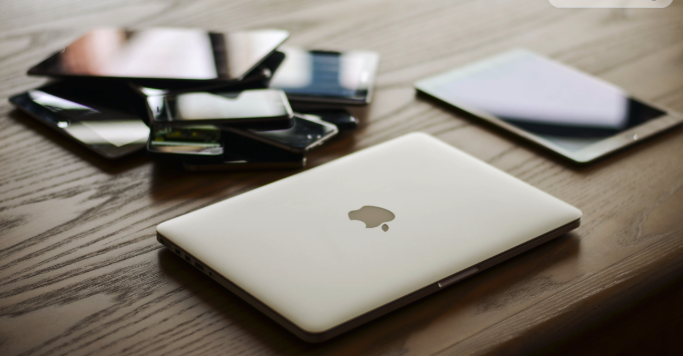
The average Australian household ran 23.8 internet-connected devices in 2023, according to the Telsyte Australian Smart Home Market Study, split into 16.1 non-smart devices, 7.1 smart home devices and half a provisioning device like a modem. That figure came from surveying 1,109 representative Australians aged 16 and over.
Most of those devices can’t log into anything on your behalf. Your fridge isn’t opening a casino lobby. But a handful of them can, and those are the ones sitting in different rooms, in drawers and sometimes in other people’s hands. So it’s worth knowing how many screens in your home hold a login, what happens to a device once it leaves your house, what a session list shows you in seconds and the login habits that pair well with it.
If you log into Vega Stars from your phone on the train and your laptop at home, all of it travels with you: the pokies library, the live dealer tables, AUD support built for players here and the vegastars loyalty programme tracking your play across every session you open. That makes multi-device control your concern directly.
Twenty-Four Screens and Counting
Let’s narrow the count to what’s relevant. Australian households average 2.75 smartphones, 2.10 computers and 1.19 tablets, based on Ipsos iris data published by IAB Australia in its March 2026 Digital Landscape Report. Nationally, that adds up to 22.1 million smartphones sitting in Australian households. The numbers come from the Ipsos iris Establishment Survey, which polls 12,000 respondents aged 14 and over and weights the results to represent 22.66 million online Australians.
The same research found 98% of Australians aged 14 and over personally use a smartphone, and 96% had been online the day before they were surveyed.
Forget total connected devices and count only the login-capable ones: the phones, the computers, the tablets. That’s around six per household. Add a smart TV browser and you’re closer to seven.
Six or seven is a small number. Small enough that you’d think anyone could keep track of it, which is why nobody does. We don’t audit things that feel manageable. And the count is heading upward, with Telsyte projecting household device numbers to grow by nearly ten more per home within four years, passing 353 million connected devices across the country by 2027.
Foad Fadaghi, Managing Director of Telsyte, put the direction of travel like this: “Australians will increasingly look for AI-powered smart living solutions that offer convenience, personalisation, and enhanced functionality”. More capability, more screens, more places your accounts can be reached from. That’s the trade we’ve all accepted, and on balance it’s a good one.
The Drawer Phone Nobody Signed Out Of
Devices arrive in our homes. They also leave.
MobileMuster research reported in March 2026 estimates 22.87 million idle mobile phones are sitting unused in Australian homes right now. Some of those get recycled, some get sold, some go to a teenager as a first phone. Vodafone recorded a 55% year-on-year rise in customers recycling handsets, with close to 27,000 devices processed since 2024, according to a December 2025 report with MobileMuster.
The resale side is bigger still. IndexBox values Australia’s refurbished smartphone market at AUD 1.1 to 1.4 billion in 2026, covering 2.8 to 3.5 million units, with domestic trade-in collection running at an estimated 1.8 to 2.4 million units a year.
Which brings us to the thing standard security advice skips entirely. Every checklist tells you to log out on shared devices. None of them cover the handover: trade-in day, the Marketplace sale, the hand-me-down, the repair drop-off, the handset that simply stops getting used. Your login has a lifecycle, not just a moment, and remote sign-out is the housekeeping step at the end of it. Think of it as collecting your spare key back.
The people who write security standards already know we forget. OWASP’s session management testing guidance states that users should be educated to log out, while the application itself should assume the user will forget. That’s not a dig at anyone. It’s sensible engineering, budgeting for how people behave rather than how we’d like them to.
Your Vega Stars account holds a balance, bonus progress and your payment preferences, with PayID among the deposit options Australians tend to reach for. That deserves the same tidy-up as your email when a device changes hands.
What a Device List Shows You
The good news is that none of this requires new technology. It’s a solved problem with a published standard behind it. OWASP’s Application Security Verification Standard requires that applications let you view and, after re-entering your credentials, log out of any or all currently active sessions and devices. It also requires that changing your password offers to terminate every other active session across the application and any federated login.
Underneath, the mechanics are straightforward. The backend keeps a record of every active session, revokes each one on request, logs the event, clears the session material on the device you’re using, and rejects any revoked session the next time it tries to make a request. Those session records typically hold a subject ID, a session ID, a device fingerprint and an issued-at timestamp, as set out in current session-revocation guidance. That fingerprint and timestamp are what let an interface tell you something as readable as ‘Windows laptop, Melbourne, last active Tuesday’.
You’ve probably already used a version of this. Apple’s Australian support documentation explains that signing in adds a device to your account screen, where you can see which devices are trusted and currently signed in, then remove one remotely with ‘Remove from Account’. Once removed, that device loses access to iCloud and Find My, and stops receiving two-factor codes until someone signs into it again.
Here’s what a session list puts in front of you:
- The device type and platform, so you can recognise it
- Roughly where it connected from
- When it was last active
- Whether a session is live right now
- A single control to end one session or all of them
When did you last check which devices are signed into your email? Now ask yourself the same question about a casino account. Most of us have never had the chance. A visible device list would sit naturally alongside the login and password controls Vega Stars players already use, and it would answer that question in about four seconds.
The Login Routine Worth Keeping
What makes remote sign-out useful is that it asks nothing of your memory. Nearly every other piece of login advice depends on doing the right thing at the right moment, when you’re distracted or in a hurry. A device list works backwards, after the fact, which is the one timing that fits how we live.
Look at why Australians take shortcuts in the first place. KnowBe4 research conducted by YouGov, with fieldwork from 17 to 20 October 2025 among 524 Australians aged 18 and over, weighted to ABS population estimates under ISO 20252:2019, found 66% reuse the same password or a variation of it across multiple accounts, and around 1.8 million use one password for everything. The reasons given were ordinary ones: 47% said they struggle to remember multiple unique logins, and 33% cited time. The same research estimates 4.6 million Australians are comfortable sharing login credentials for sensitive accounts with family, friends or colleagues. Treat those figures as indicative given the sample size, and note that KnowBe4 sells security training, though YouGov ran the fieldwork independently.
Nobody in those numbers is careless. They’re busy.
Login itself is getting easier at the same time. The FIDO Alliance’s State of Passkeys 2026 report counted 5 billion passkeys in active use, consumer awareness at 90% (up from 75% a year earlier) and three-quarters of consumers enabling passkeys on at least one account, from a Sapio Research survey of 11,000 adults across ten countries including Australia in April 2026, with a margin of error of 0.9 points.
Big platforms are pushing the same way. Microsoft now makes new accounts passwordless by default, offering passkeys, a physical security key or SMS codes instead of a password.
Australian brands are moving on this too. VicRoads announced a phased passkey rollout, mandating passkeys by the end of 2025 and beginning to remove passwords entirely from 2026, while ubank moved new customers onto passkeys for app login in June 2024 and extended it to existing customers that August.
Of course, passkeys tie your login to specific devices, which makes seeing that list of devices more useful than it was before. Vega Stars sits in the same company as those brands, serving Australian players in AUD across mobile and desktop, so multi-device control fits the way its members already play.
Six Screens and One Switch
Our homes gained devices faster than our accounts gained controls. That’s the whole story here, and the answer is one screen that tells you which devices hold your login. The useful change in thinking is to stop counting connected devices and start counting login-capable ones. Six or seven per household, give or take, each one carrying a session that outlives your attention.
With household device numbers still climbing and passkeys reaching everyday use, accounts will be reachable from more places every year. Seeing and ending your own sessions becomes ordinary rather than advanced. Go and check the device list on an account that already offers one; your Apple or Google account will do, and see what’s still signed in.
Advisory Notice: Treat gambling as a leisure activity, never a way to generate income. Set your budget and limits in advance, based only on what you’re comfortable losing. If you notice yourself trying to recover losses or feeling unable to quit, that’s a signal to stop.